
You set up an anonymous feedback form. You tell everyone their answers are private. You wait. And what comes back is bland, careful, and nearly useless.
The problem usually isn't the questions. It's that your anonymous feedback form isn't actually anonymous - or at least, people don't believe it is. And that's enough to kill honest responses.
An anonymous feedback form collects responses without tying them to a name, email, or identity. When done right, it's the simplest way to hear what people really think - about their job, your product, an event they attended, or a course they just finished. But most forms leak identity in ways that aren't obvious, and your respondents know it even if you don't.
This guide covers what actually breaks anonymity, how to fix it, and includes ready-to-use questions for the most common use cases.
Why anonymity matters more than you think
People self-censor. Not sometimes - nearly always. When someone knows their name is attached to feedback, they round the edges off. They pick the middle option. They write "everything's fine" when it isn't.
According to the IBE Ethics at Work 2024 survey, 43% of American workers believe speaking up at work could put their job at risk. That was a survey of 750 workers, and almost half of them chose silence as the safe option.
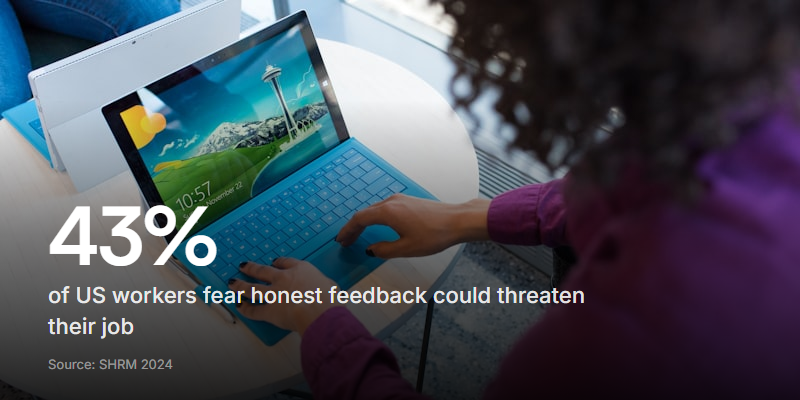
That fear doesn't disappear because you label a form "anonymous." People have been burned before. They've seen "confidential" surveys where their manager somehow knew exactly who said what. Trust has to be earned through design, not just a promise in the form header.
And the cost of not getting honest feedback is real. Gallup's 2026 State of the Global Workplace report found that global engagement dropped to just 20% in 2025 - the lowest since 2020. Manager engagement fell 31% to just 22%. When feedback channels don't feel safe, problems stay hidden until people simply leave. By then the only feedback left to collect is an exit survey explaining what you already missed.

What actually breaks anonymity
This is the part most form builders skip entirely. They give you a template and call it anonymous. But anonymity can break in at least five ways - and most people filling out your form are aware of at least a few of them.
IP address and device logging
Many form platforms log the respondent's IP address by default. Even if you never look at it, the data exists. Someone with admin access could match a response to a device on the company network. If your form tool logs IPs, your form isn't anonymous. Check your platform's settings and turn off any tracking that ties responses to a device or location.
Email collection and login requirements
This one sounds obvious, but it happens constantly. A form asks for "anonymous feedback" and then requires users to sign in with their Google account, or includes an email field marked as optional but still visible. Even an optional email field changes behaviour. People assume you'll see it, so they either skip the form or soften their answers.
Small team identification
If your team has five people and three of them are engineers, an "anonymous" response about engineering management might as well have a name on it. The smaller the group, the easier it is to identify someone by their answers. This is especially true when you combine demographic questions (department, tenure, location) with open-ended responses. One specific complaint plus a known team size equals a name.
Metadata and timestamps
When did the response come in? If you sent the form link to individuals at staggered times, the timestamp narrows the pool. If you emailed it to a small team and one person submitted within two minutes, you can probably guess who it was. Batch distribution at the same time reduces this risk.
Required demographic fields
Every demographic question you add shrinks the anonymity pool. Department, role level, years at company, office location - stack three of these together in a 50-person company and you might be down to one or two possible respondents. Only ask for demographics you'll actually use to segment the results, and never combine more than two in a small organisation.
Rule of thumb: if the combination of demographic filters could narrow responses down to fewer than five people, drop one of the filters. Anonymity needs a crowd to hide in.
How to build an anonymous feedback form people trust
Knowing what breaks anonymity is the first half. The second half is making your respondents believe the form is genuinely private. Here's what to get right.
State the rules up front. Tell people exactly what is and isn't collected. "This form does not collect your name, email, or IP address. Responses cannot be traced back to you." Put this at the top, not buried in a footer.
Turn off all tracking. Disable IP logging, disable respondent email capture, and remove any hidden metadata fields. If your platform doesn't let you turn these off, pick a different platform - this is one reason teams look for a Jotform alternative with simpler, privacy-first defaults.
Limit demographic questions. One or two at most. If you need department-level data, don't also ask for role level and tenure in the same form.
Use a shared link, not individual links. Sending a unique link to each person defeats the purpose. Distribute one link to the whole group at the same time.
Choose text responses as the default. Text is the most anonymous format. Audio responses are convenient but carry voice identity. Video is useful in many contexts but shouldn't be the default for anonymous feedback. With a tool like Clipform, you can offer text as the primary response type, add audio as an optional convenience, and keep video available for situations where respondents choose to be identified - without forcing any format.
Share aggregated results. If you report feedback back to the team, share themes and summaries - never individual responses. Even paraphrasing a specific comment can reveal identity if the phrasing is distinctive.
Anonymous feedback form questions by use case
The questions you ask depend on who you're asking and what you need to learn. Here are templates for the four most common scenarios.
Employee feedback
Employee feedback is the highest-stakes use case for anonymity. People are weighing honesty against job security, and most choose safety. These questions work because they're specific enough to produce useful answers but broad enough that responses can't be traced to one person.
| Question | What it surfaces |
|---|---|
| "What's one thing that makes your daily work harder than it needs to be?" | Process and tooling friction |
| "Do you feel comfortable raising concerns with your direct manager?" | Psychological safety |
| "If you could change one thing about how decisions are made here, what would it be?" | Leadership and communication gaps |
| "How often do you leave work feeling like your effort mattered?" | Engagement and meaning |
| "Is there anything holding you back from doing your best work?" | Blockers that don't surface in 1:1s |
The last question is intentionally open-ended. It catches things you wouldn't think to ask about - office temperature, meeting overload, unclear priorities.
If you're building a more complete engagement survey, the question design matters just as much as anonymity. Our guide on employee engagement survey questions covers how to structure the full survey for honest answers. For an always-open channel rather than a scheduled survey, a digital suggestion box does the same job continuously.
Customer feedback
Customers are less worried about retaliation, but they still self-censor. People avoid leaving negative feedback when they feel like it could affect their service, or when the form feels like it's going straight to the person who helped them. (For the full question set and structure, see our customer feedback form guide.)
- "How would you rate your overall experience with us?" - Start easy with a scale.
- "Was there anything about the process that felt frustrating or confusing?" - The word "anything" gives permission to mention small things.
- "Would you recommend us to a friend? Why or why not?" - The "why not" is where the real feedback lives.
- "What nearly stopped you from buying / signing up?" - Surfaces objections your sales team never hears.
- "Is there something we could do better that nobody's asked you about before?" - Catches blind spots.
Event feedback
Event feedback needs to be fast. People fill these out on their phone while walking to the next session or heading home. Keep it to 5-6 questions max - our event feedback form guide covers timing and distribution in detail.
- "What was the most useful part of the event?" - Tells you what to repeat.
- "What would you cut or change?" - More specific than "what could be improved."
- "Did any session feel like a waste of your time?" - Direct, but anonymity makes it safe to answer honestly.
- "How likely are you to attend again next year?" - Future intent is more honest than past satisfaction.
- "Anything else you want the organisers to know?" - Catches the thing they've been wanting to say all day.
Course and training feedback
Training feedback has a specific bias problem: people don't want to seem ungrateful. They've been given access to learning, and criticising it feels risky - especially when the trainer or L&D team will see the results. Anonymity helps, but only if the questions are pointed enough to get past the politeness barrier.
| Question | Why it works |
|---|---|
| "Which parts of the course were most relevant to your actual job?" | Separates theory from practice |
| "Was there anything that felt too basic or too advanced for your level?" | Surfaces poor audience targeting |
| "How confident are you applying what you learned?" | Tests transfer, not just enjoyment |
| "Would you choose to take this course if it wasn't required?" | Honest signal of perceived value |
| "What would have made this training more useful?" | Opens the door to specific improvements |
Choosing the right response format
Not every anonymous form needs to be plain text boxes. The format you choose affects both the quality of feedback and the level of anonymity.
Text responses are the gold standard for anonymous feedback. No voice, no face, no identifying markers beyond writing style. They're fast to fill out and easy to scan. For most anonymous use cases, text should be the default.
Rating scales (1-5, NPS, emoji scales) are useful for benchmarking but shallow on their own. Pair them with a follow-up text question: "You rated X a 3 - what would make it a 5?"
Audio responses add depth and emotion that text misses. Someone explaining a frustration out loud often shares more detail than they'd type. But audio carries voice identity, so it's a trade-off. It works well for customer feedback or event feedback where anonymity matters less. For employee feedback, make it optional and let people choose.
Video responses are powerful for testimonials, product feedback, and customer stories - but they're the opposite of anonymous. Reserve video for contexts where people want to be seen and heard, not for sensitive internal feedback.
The best anonymous feedback forms let respondents pick their comfort level. Text for safety. Audio for convenience. Video when they're ready to be identified.
Common mistakes that kill response rates
You can build a perfectly anonymous form and still get low completion rates. Here's what else goes wrong.
Too many questions. Anything over 10 and you'll see drop-off. For event or post-purchase feedback, aim for 5-6. For employee feedback, 8-10 is the ceiling.
Vague questions. "Do you have any feedback?" is not a question. It's a blank wall. People stare at it, shrug, and close the tab. Ask something specific enough that the answer comes to mind immediately.
No context on what happens next. Tell people what you'll do with their feedback. "We review all responses monthly and share a summary with the team" builds trust. Silence after collection breeds cynicism.
Sending it at the wrong time. Friday afternoon? Monday morning? Both bad. For employee surveys, mid-week mid-morning gets the best completion rates. For event feedback, within 24 hours of the event. For customer feedback, shortly after the key interaction - not weeks later.
Never sharing the results. This is the single biggest trust-killer for recurring surveys. If people gave honest feedback last time and heard nothing back, they won't bother again. Close the loop. Share what you learned and what you're changing because of it.
How to pick an anonymous feedback form tool
Not every form builder is built with anonymity in mind. Here's what to check before you commit.
| Feature | Why it matters |
|---|---|
| IP logging can be disabled | Without this, your form is never truly anonymous |
| No login required for respondents | Authentication defeats the purpose |
| Shared link distribution | Individual tracked links expose identity |
| Response format options | Text should be default; audio and video should be opt-in |
| Aggregate reporting | The tool should make it easy to share themes, not individual answers |
| GDPR / data handling | Know where response data is stored and who can access it |
Clipform is designed with this flexibility in mind. You can build forms that default to text responses for maximum anonymity, offer audio for respondents who prefer speaking over typing, and keep video available for non-anonymous contexts - all without requiring logins or collecting identifying information.
Making anonymous feedback worth collecting
An anonymous feedback form is only as good as what you do with the answers. The form itself is the easy part. The hard part is building a system where people believe their feedback will be heard, where the data actually reaches someone who can act on it, and where the loop gets closed visibly enough that people keep participating.
Start simple. Pick one use case - employee feedback, customer feedback, event feedback, or course feedback. Build a short form with 5-8 questions. Strip out every tracking feature your platform offers. Distribute a single shared link. And when the responses come in, share what you learned.
The goal isn't a perfect survey. It's a feedback channel that people actually trust enough to use honestly. Get that right, and the quality of what you hear will change overnight.