A teaching portfolio is a collection of documents, artifacts, and evidence that shows how you teach, why you teach the way you do, and what your students get out of it. If you're applying for a teaching job, going through tenure review, or pursuing National Board certification, you'll almost certainly need one.
The problem with most teaching portfolio advice? It reads like a compliance checklist. "Include your philosophy statement. Add your evaluations. Done." That gets you a binder that looks like everyone else's.
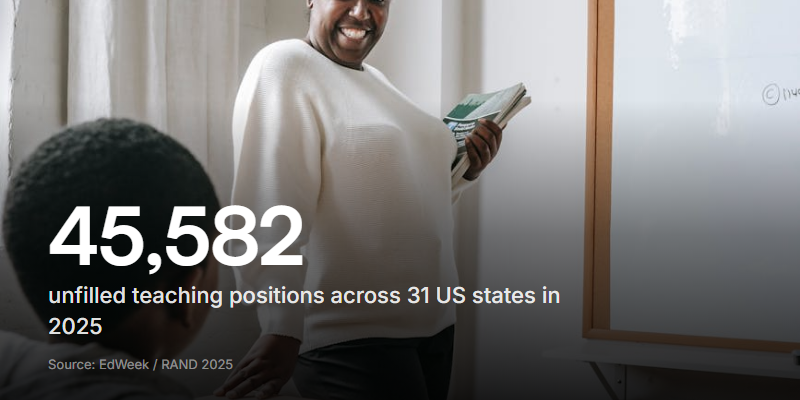
What actually gets noticed is evidence of impact. An EdWeek Research Center survey of 270 K-12 recruiters found that school leaders want to see portfolios with "student evidence and achievement data," not just a list of courses taught. They're looking for proof you made a difference, not a curriculum vitae in a fancier folder.
This guide covers what belongs in your portfolio, what formats work best, and the pieces most teachers overlook (including video teaching demos and the AI question that's now part of every hiring conversation).
What goes in a teaching portfolio?
There's no single template that works for every teacher. A kindergarten teacher's portfolio looks different from a university lecturer's. But the core structure is the same: show who you are as a teacher, back it up with evidence, and make it easy to navigate.
Here are the sections that matter most.
Teaching philosophy statement
This is the opening act. One to two pages where you explain your approach: how you think about learning, what drives your classroom decisions, and what you believe about students. Keep it specific. "I believe all children can learn" tells a reviewer nothing. "I use structured peer feedback in every writing unit because my students consistently produce stronger revisions when they hear from each other" tells them a lot.
Courses and responsibilities
A clear list of what you've taught: subjects, grade levels, class sizes, and any special responsibilities like mentoring, curriculum development, or coaching. Include dates. If you've taught across different contexts (urban and rural, mainstream and special education), highlight that range.
Lesson plans and teaching materials
Pick three to five of your strongest lessons. Not your most elaborate ones - your most effective ones. Include the plan itself, any handouts or slides, and a short note explaining why this lesson works well. Reviewers want to see your thinking process, not just your production quality.
Student work samples
Select examples that show a range: a student who improved, a challenging assignment that produced strong results, a project that demonstrates your approach to assessment. Always anonymise student names and get proper permissions for any photos or recordings.
Evaluations and feedback
Pull from multiple sources:
- Formal observations from administrators or department heads
- Peer reviews from colleagues who've watched you teach
- Student evaluations (if your school collects them)
- Parent feedback - thank-you notes, emails, or survey results
A mix of perspectives is stronger than one glowing review from a single supervisor.
Professional development
Workshops, conferences, certifications, and courses you've completed. But don't just list them. For each one, add a sentence about how it changed your teaching. "Completed restorative practices training, July 2025. Now using circle discussions for conflict resolution instead of traditional discipline referrals" tells a reviewer more than a certificate on its own.
Awards, publications, and contributions
Anything beyond your classroom: committee work, curriculum you wrote for the district, articles, conference presentations, or awards. If you run a Teachers Pay Teachers store or maintain a teaching blog, include those too. They show initiative.
Letters of recommendation
Request these early. Give your recommenders at least two to three weeks, and tell them what the portfolio is for so they can tailor their letters. A letter from someone who's watched you teach in person carries more weight than a generic character reference.
Teaching portfolio examples: digital vs physical
You'll need to decide on format based on how you'll be sharing it.
| Format | Best for | Strengths | Weaknesses |
|---|---|---|---|
| Physical binder | In-person interviews | Tangible, easy to flip through together | Can't include video, hard to update |
| Website portfolio | Online applications, remote interviews | Multimedia, shareable link, always current | Takes time to build, hosting costs |
| PDF portfolio | Email submissions, upload portals | Universal format, easy to send | Static, no video, large file sizes |
| Slide deck | Screen-share interviews | Visual, structured, presenter-friendly | Less depth than a website |
Digital portfolios are winning out. More districts are doing first-round interviews remotely, and an online portfolio lets you include things a binder never could: embedded video clips, links to student project websites, and interactive lesson materials.
If you go digital, keep the navigation simple. A reviewer should be able to find your philosophy, your lesson samples, and your evaluations within two clicks. Don't make them scroll through a single giant page.
Quick tip: If you're building a website portfolio, platforms like Google Sites, Wix, and WordPress all have free tiers that work well for teaching portfolios. Pick whichever one you're most comfortable with.
The piece most teachers skip: video teaching demos
Here's where most teaching portfolios miss an opportunity.
Written artifacts show what you planned. Video shows what actually happened in the room. A three-minute clip of you leading a class discussion, running a group activity, or explaining a difficult concept gives a hiring committee more information than ten pages of lesson plans.
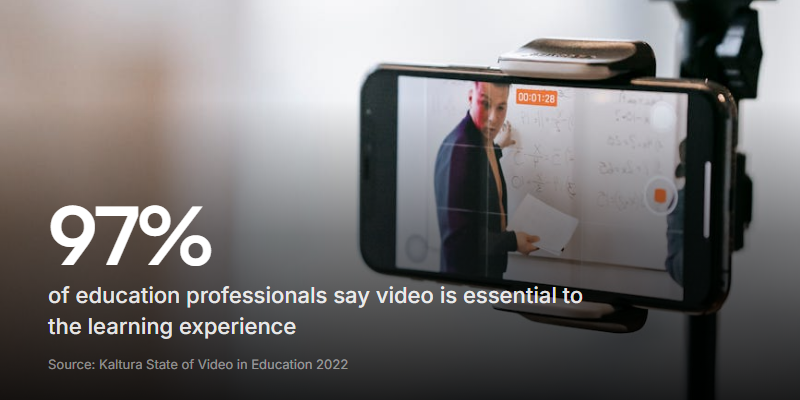
Kaltura's 2022 State of Video in Education report found that 97% of academic staff consider video essential to the learning experience.
What to record:
- A full lesson or lesson segment (5 to 15 minutes). Don't rehearse it to perfection. Reviewers want to see how you handle real classroom moments, not a performance.
- A student interaction where you differentiate instruction, redirect behaviour, or help a struggling learner. These moments show your instincts.
- A short "teaching demo" introduction (60 to 90 seconds) where you speak directly to the camera about your approach. Think of it as a video version of your philosophy statement.
Recording tips:
- Use a tripod or stable surface. Shaky footage is distracting.
- Record from the back of the room so the camera captures both you and the students.
- Make sure audio is clear. A clip where nobody can hear you defeats the purpose.
- Film during a lesson you're confident in, but don't over-polish it. A few "ums" and a student interruption make it feel real.
Where video really matters: If you're applying for positions that involve presentations, coaching, or training (instructional coaches, curriculum specialists, higher ed lecturers), video evidence is practically a requirement. It's the closest a hiring committee can get to watching you teach without being in your classroom.
Can you use AI to build your teaching portfolio?
This is the question hanging over every teacher preparing a portfolio right now, and the rules are a mess.
EdWeek reported in May 2026 that none of the twelve-plus states requiring teaching portfolios for licensure have specific policies on AI use. Some states, like Arkansas and South Carolina, don't have statewide AI policies at all. Others leave it to individual districts.
The one exception is hard-line: the National Board for Professional Teaching Standards considers using AI to write portfolio commentary or request feedback on drafts "a disqualifying breach." If you're pursuing National Board certification, don't use AI for any part of your written submissions.
For everyone else, the rules are murkier. EdTPA (the national performance assessment run by Pearson and Stanford) encourages candidates to use AI for planning and understanding tasks, but warns that reviewers will run originality-detection software on submissions.
A practical approach:
- Fine to use AI for: Brainstorming portfolio structure, proofreading your philosophy statement, organising your artifacts, generating ideas for which lessons to showcase.
- Risky with AI: Writing your teaching philosophy or reflective commentary from scratch. These are supposed to be your voice, your thinking, your classroom. If a reviewer reads your philosophy and it sounds like every other AI-generated statement, it defeats the purpose.
- Off-limits: Anything submitted for National Board certification. Full stop.
The safest bet? Write your reflections yourself, then use AI as an editor. Your ideas, your examples, your voice - with better grammar and tighter structure. That way the substance is genuinely yours, and you're using the tool the way most professionals use it: to polish, not to replace.
The real differentiator: In a world where AI can generate a polished philosophy statement in seconds, the portfolio pieces that can't be faked are the ones that matter most. Video of you teaching. Student work with your handwritten feedback. Observations from people who watched you in person. These are the artifacts that prove you're the real thing.
How to put your portfolio together
Building a teaching portfolio doesn't need to be overwhelming. Break it into steps and spread the work across a few weeks.
1. Gather your raw materials. Pull together everything you might include: lesson plans, evaluations, student work, certificates, letters. Don't edit yet. Just collect.
2. Choose your best evidence. Pick three to five artifacts per section. Quality beats quantity. A reviewer who sees ten mediocre lesson plans learns less than one who sees three great ones with your annotations explaining what made them work.
3. Write your philosophy statement. Do this after you've reviewed your artifacts, not before. Looking at your strongest lessons and your best student outcomes will remind you what you actually believe about teaching, not what you think you're supposed to say.
4. Record your video. Even one short clip (two to three minutes) adds a dimension that paper can't. Film during a lesson you feel good about, review the footage, and pick the strongest segment.
5. Build your container. Whether that's a website, a binder, or a PDF, organise everything with a clear table of contents. Label each artifact with a short note explaining what it shows and why you included it.
6. Get a second opinion. Ask a colleague or mentor to review your portfolio before you submit it. They'll catch things you've gone blind to: a section that's too long, an artifact that doesn't match your philosophy, or a gap you didn't notice.
7. Keep it updated. Your portfolio isn't a one-time project. After every semester, add new artifacts, swap out weaker pieces, and update your professional development section. A current portfolio is always ready when an opportunity shows up.
Mistakes that weaken a teaching portfolio
A few things that consistently hurt:
- Including everything. More is not better. A 50-page portfolio signals that you couldn't decide what matters. Aim for 10 to 15 pages of material, plus your video clips.
- Generic philosophy statements. "I believe in creating a safe and inclusive learning environment" could be written by anyone. Ground your philosophy in specific practices and real examples from your classroom.
- No evidence of student impact. If your portfolio is all about you (your plans, your credentials, your training) and says nothing about what happened for students, it's missing the point.
- Outdated materials. A lesson plan from 2018 is ancient history. Show recent work that reflects current standards and your current teaching practice.
- Ignoring the audience. A portfolio for a K-5 position should look different from one for a university lecturer. Tailor your artifact selection to the role you're applying for.
- Forgetting video. In 2026, a teaching portfolio without any video feels incomplete. Even a short clip shows something that paperwork never will.
Start building yours
A teaching portfolio is one of those things that feels like a huge project until you actually start. The hardest part is deciding what to include, and if you've read this far, you already have a solid framework.
Start with the piece that's most unique to you. Maybe that's a lesson you're proud of, or a video clip from a class that went well. Build outward from there. Your philosophy statement, your evaluations, and your professional development will fill in naturally around your strongest evidence.
If you want to add video teaching demos to your portfolio, tools like Clipform make it straightforward. You can record directly in a browser, collect video responses from students or colleagues for peer reviews, and share everything with a single link. No uploads, no editing software, no friction.
The teachers who stand out in hiring aren't the ones with the thickest folders. They're the ones who show what their teaching actually looks like.