A video cover letter is a short recording (60 to 90 seconds) where you introduce yourself, explain why you're interested in a role, and show a bit of your personality. It goes alongside your CV, not instead of it. Think of it as a video resume intro that gives hiring managers something a PDF never can: your actual voice and presence.
Why bother? Because Resume Genius's 2026 survey of 625 hiring managers found that 83% read the majority of cover letters they receive, and 41% say the introduction is the most impactful part. A video lets you nail that introduction in a way text can't. The hiring manager hears your voice, sees your face, and gets a feel for who you are before they've read a single bullet point on your CV.
This guide covers how to make one, what to say, common mistakes, and where to host it so it actually looks professional.
Why video cover letters work
Text cover letters are easy to skim. Video is harder to ignore.
When someone hits play on your recording, they're spending 60 to 90 focused seconds with you. That's more attention than most written cover letters get. According to Resume Genius, 94% of hiring managers say cover letters influence their interview decisions. A video version gives you the chance to make that influence count.
There's a practical reason too. StandOut CV reports that 86% of hiring processes globally now use some form of video. Recruiters are comfortable watching recordings. They're used to it. Sending a video cover letter doesn't feel unusual anymore - it signals that you understand how modern hiring works.
And unlike a written letter, video shows things that words can't:
- Communication skills. Can you explain something clearly? Are you easy to listen to?
- Energy and enthusiasm. It's hard to fake genuine interest on camera.
- Cultural fit. Hiring managers get a gut sense of whether you'd mesh with the team.
- Confidence. Not perfection - just someone who's comfortable talking about their work.
Every text cover letter now sounds the same
Here's what's changed since the last wave of "how to write a cover letter" guides: AI writes them now.
Candidates paste the job description into ChatGPT, hit generate, and get a polished, professional cover letter in ten seconds. Hiring managers know this. According to AiApply's 2025 research, AI-written job applications jumped from 17% in 2024 to nearly 30% in 2025. Jobright puts the broader number even higher: 70% of job seekers now use generative AI somewhere in their search process.
The result? A stack of cover letters that all read the same. Same structure, same buzzwords, same "I am passionate about leveraging my skills to drive impact at your organisation." Nobody sounds like themselves anymore.
Employers are catching on. WasItAIGenerated's 2025 report found that 65% of Fortune 500 companies now run AI detection tools on incoming cover letters. A TopResume survey of 600 hiring managers found that nearly one in five would reject an application they believed was fully AI-generated. Some companies have gone further. Anthropic (the company behind Claude) explicitly requires candidates to write without AI assistance.
This is exactly why video cover letters hit differently right now. Most candidates won't bother. They'll take the path of least resistance and generate another text letter. The ones who record a video immediately stand out, not because the technology is unfakeable, but because the effort is uncommon. When you record yourself talking about why you want this job, the hiring manager sees:
- Proof you're real. Not a generated persona, not a polished prompt output. An actual person who showed up.
- Genuine effort. Recording a video takes more work than pasting a job description into a chatbot. That effort signals something.
- Your actual personality. AI can mimic professional tone, but it can't replicate the way you pause to think, the way you light up talking about a specific project, or the way you stumble slightly and recover. Those imperfections are what make it feel human.
In a hiring process where text is increasingly untrustworthy, putting your face and voice to your application is the strongest signal you can send. At this point, it's a real differentiator.
When to use one (and when to skip it)
Video cover letters aren't always the right move. Here's when they help and when they don't.
Use a video cover letter when:
- The job involves communication, presentation, or client-facing work
- The company has a creative or modern culture (startups, agencies, tech)
- The job posting explicitly asks for one
- You're applying to a role where personality matters as much as credentials
- You want to stand out in a competitive applicant pool
Skip it when:
- The company is in a conservative industry (traditional law firms, government, academia)
- The job posting specifically says "no attachments" or "PDF only"
- You're mass-applying and can't personalise each video
- The role is purely technical with no client interaction
When in doubt, check the company's careers page and social media. If they post team videos, use informal language, or mention culture fit, a video cover letter will probably land well.
How to make a video cover letter in six steps
1. Write your talking points first
Don't read from a script word-for-word (it sounds robotic on camera). But don't wing it either.
Write three to five bullet points covering:
- Who you are and what role you're applying for
- One or two things from your experience that connect to this specific job
- Why this company (not just this role)
- What you'd bring to the team
Practise talking through these points until they feel natural. You want it to sound like a conversation, not a presentation.
2. Set up your space
You don't need a studio. You need a clean, quiet spot with decent lighting.
- Lighting: Face a window or put a lamp behind your camera. Avoid overhead lighting that casts shadows on your face.
- Background: A tidy room, a bookshelf, a plain wall. Nothing distracting. Definitely not your bed.
- Camera: Your laptop webcam or phone front camera is fine. Position it at eye level (stack some books under your laptop if needed).
- Audio: The built-in mic works for most setups. Close the door, turn off notifications, and tell your housemates you're recording.
3. Dress the part
Match what you'd wear to an interview at that company. For a startup, a clean shirt works. For a consulting firm, go more formal. When in doubt, dress one level up from the company's vibe.
4. Record it
Open your recording tool. Look at the camera lens, not the screen (this is the hardest part - it feels unnatural, but it creates eye contact for the viewer).
Hit record and talk through your points. Don't aim for perfect. Aim for genuine. A small "um" or a natural pause is fine. A robotic, over-rehearsed delivery is worse.
Keep it under 90 seconds. Sixty seconds is ideal. If you go past two minutes, you'll lose them.
5. Watch it back
Play it once. Check for:
- Can you hear yourself clearly?
- Is the lighting okay?
- Did you cover your main points?
- Does it sound like you, or like someone reading a script?
If you're cringing at something specific, re-record. If you just feel generally awkward watching yourself on camera, that's normal. Everyone feels that way. It's probably fine.
6. Save and share
Export or download the video. Give it a proper filename (not video_final_v3_FINAL.mp4). Something like jane-smith-video-cover-letter-acme-corp.mp4 works.
Where you host it matters. More on that below.
What to say: a script framework
You don't need a word-for-word script. But having a structure keeps you on track and stops you rambling. Here's a framework that works for most roles:
Opening (10 seconds)
"Hi, I'm [name]. I'm applying for the [role] at [company], and I wanted to put a face to my application."
Keep it simple. No "I'm thrilled and honoured to be considered for this prestigious opportunity." Just say who you are and why you're here.
The hook (15-20 seconds)
This is where you grab their attention. Pick one thing from the job description that genuinely excites you and connect it to something you've done.
"I saw you're building out your customer success team, and that's exactly the kind of work I've spent the last three years doing at [previous company]. We grew our retention rate from 72% to 91%, and I'd love to bring that same approach here."
Specifics. Numbers if you have them. Not "I'm passionate about customer success" - that says nothing.
Why this company (15-20 seconds)
Show that you've done your homework. Mention something specific about the company that you can't just copy-paste into every application.
"I've been following your product since you launched [feature/product], and the way you [specific thing they do] is really different from what I've seen in the space."
The close (10 seconds)
"Thanks for watching. I'd love to chat more about how I could contribute. My CV and details are attached."
That's it. No grovelling. No "I truly believe I would be the perfect candidate." Just a clear, confident close.
The whole thing should feel like the first two minutes of a good conversation, not a rehearsed pitch. If you'd feel weird saying it to a friend, rewrite it.
Common mistakes to avoid
Reading from a script on screen. Your eyes dart sideways, your tone goes flat, and it's obvious. Use bullet points, not a teleprompter.
Going too long. Recruiters are busy. Anything past 90 seconds is pushing it. Past two minutes and most people stop watching. Cut anything that doesn't directly serve the "why me, why here" question.
Being too formal. "Dear hiring committee, I am writing to express my interest..." - no. This is video, not a letter to Parliament. Talk like a human.
Trying too hard to be funny. A bit of personality is great. A forced joke in the first five seconds makes everyone uncomfortable.
Bad audio. More important than video quality. If they can't hear you clearly, nothing else matters. Record a test clip and play it back before doing the real thing.
Not personalising it. A generic video cover letter is barely better than a generic written one. If you don't mention the company name or the specific role, it's obvious you're blasting the same recording to everyone.
Where to host your video cover letter
This is where most guides get it wrong. They tell you to upload to YouTube (unlisted) or stick it on Google Drive. That works, but it's clunky. You're sending a hiring manager a raw YouTube link in an email and hoping they click it.
Better options:
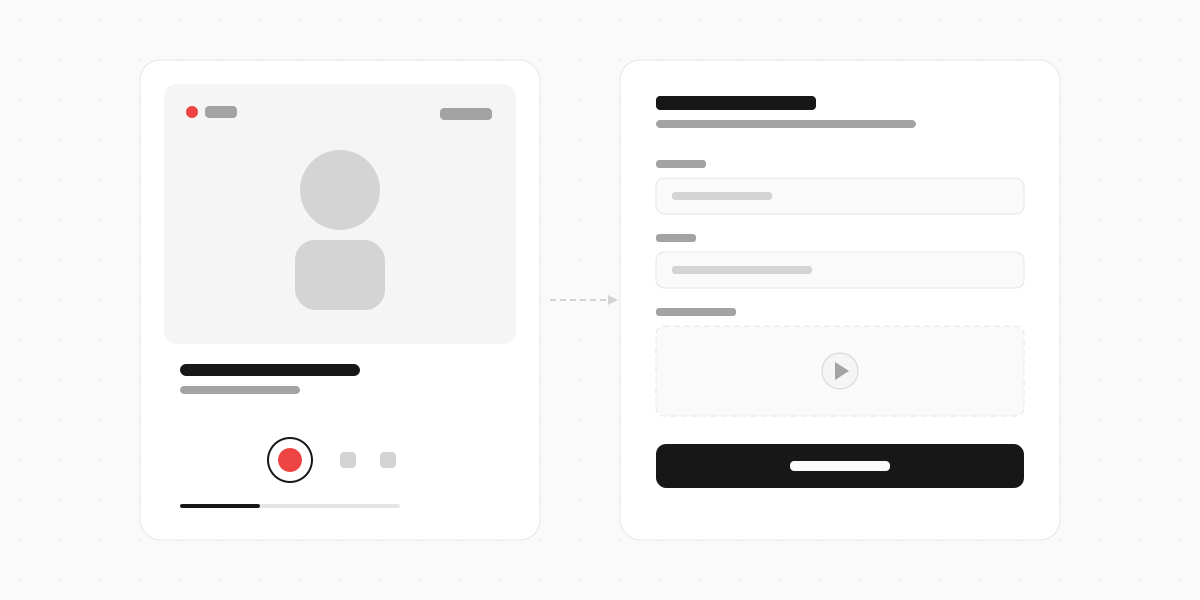
- A video form tool. Tools like Clipform let you build a shareable page with your video, a welcome message, and a way for the viewer to respond or leave feedback. It looks more polished than a bare video link, and you get a proper URL to include in your application. You can even set it up to collect contact details or follow-up responses.
- A personal website. If you have one, embed the video on a dedicated page. Link to it from your application.
- Loom or similar. Records and hosts in one step. Gives you a clean link with a preview thumbnail.
The goal is to make watching your video feel effortless for the recruiter. The fewer clicks between "here's my video" and them actually watching it, the better.
Video cover letters from the employer side
If you're on the hiring side and want candidates to submit video cover letters, the easiest approach is to set up an async video interview. Instead of asking candidates to figure out recording, hosting, and sending on their own, give them a link to a form that walks them through it.
You set the questions. They record and submit. You review on your schedule. No file attachments clogging your inbox, no broken links, no "sorry, can you resend the video?"
FAQ
How long should a video cover letter be?
60 to 90 seconds. Under a minute is ideal for most roles. Never go past two minutes.
What format should I use?
MP4 is the safest. It plays on everything. If you're uploading to a platform (Loom, Clipform, YouTube), format is handled for you.
Should I include captions?
Yes, if you can. Some recruiters watch with sound off, especially if they're screening at their desk. Auto-captions on most platforms are good enough.
Can a video cover letter replace my written one?
Unless the job posting says otherwise, send both. The video complements your written application. Think of it as a bonus, not a replacement.
What if I hate being on camera?
Practice helps, but it never feels totally natural for most people. Record yourself answering one question a day for a week. By day five, you'll be noticeably more comfortable. And remember - slight awkwardness reads as authentic. Over-polished reads as fake.
Do employers actually watch them?
If you're sending an unsolicited video to a company that didn't ask for one, some will and some won't. If the role asks for a video application, absolutely yes. The key is making it easy to watch (proper hosting, good audio, short length) so there's no reason to skip it.
Stand out from the AI pile
When every other application in the stack is AI-generated text with the same structure and the same buzzwords, 60 seconds of your real voice is the simplest way to be memorable. You don't need professional equipment or a perfect delivery - you need to sound like yourself talking about work you actually care about.
Pick one role you're genuinely excited about. Write your three talking points. Record it. Watch it back once, and if it sounds like you, send it. The bar is lower than you think - most candidates won't bother, which is exactly why it works.