Most video testimonial roundups give you a list of thirty videos and tell you they're "great." That's not helpful. What you actually need is to understand why each one works, so you can replicate the pattern yourself.
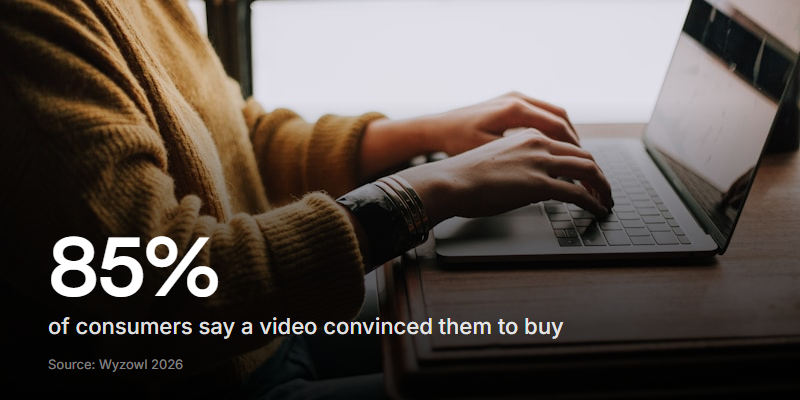
Video testimonials convert because they carry something text can't: a real face, a real voice, and the small hesitations that signal honesty. According to Wyzowl's 2025 State of Video Marketing report, 85% of consumers say a video has convinced them to buy a product or service. And the setting matters - testimonials filmed in informal spaces (a home office, a kitchen table) consistently outperform studio productions on trust. The slight imperfections signal that this person is real, not reading from a brand-approved script.
This matters more now than it did two years ago. AI tools can generate synthetic testimonial videos at scale - realistic avatars saying whatever you script for them. As these flood product pages and social feeds, viewers are getting better at sensing when something feels manufactured. A genuine, slightly imperfect video recorded on someone's laptop stands out because it clearly isn't generated.
Here are seven video testimonial types that work, with real examples and what you can steal from each.
1. The customer story
What it is: A short narrative following the problem-solution-result arc. The customer explains what was broken, what they tried, and what changed.
Why it works: Stories are sticky. People remember narratives far better than feature lists. The customer does the selling for you, and viewers see themselves in the "before."
The gold standard: Slack's "So Yeah, We Tried Slack" video with Sandwich Video. Adam Lisagor opens by explaining he got an email from Slack's founder asking his team to try the product. Six months later, his team was hooked. The video hit 1.3 million views because it felt like a real person changing their mind - not a marketing pitch.
"Products like that never work." - Adam Lisagor's first reaction to Slack, before his entire team got hooked.
How to replicate it:
- Ask your customer to start with the problem, not the product
- Let them describe the moment things clicked
- Keep it under two minutes
- Film in their actual workspace, not a studio
2. The quick win
What it is: A 30-to-60-second clip focused on one specific benefit. No backstory, no setup. Just the punch.
Why it works: Short-form content dominates social feeds. A quick win testimonial is designed to stop the scroll. It's also the easiest format to get customers to agree to - "just 30 seconds" is a much smaller ask than "tell us your whole story."
Where you see them: Calendly uses this format well in their social content. One user, one benefit, done.
"I stopped going back and forth on scheduling." - That's it. That's the whole testimonial. And it works.
How to replicate it:
- Give the customer a single question: "What's the one thing that changed?"
- Set a time limit (60 seconds max)
- Edit for social - vertical format, captions baked in
- These work best in batches of five or more
Don't script quick wins. The moment a customer sounds like they're reading, the format loses its power. Give them a single question and let them answer naturally.
3. The case study
What it is: A metrics-heavy testimonial where the customer shares specific numbers. Revenue growth, time saved, conversion increase, cost reduction.
Why it works: B2B buyers need to justify purchases to their team. "It felt great" won't survive a budget meeting. "We cut onboarding time from three weeks to four days" will. When a prospect sees a real customer sharing a real metric on camera, that's harder to dismiss than a case study PDF.
Where you see them: HubSpot's customer spotlight series does this consistently. Each video leads with a metric, then backs it up with the story behind the number.
The best case study testimonials lead with the number in the first five seconds. If the viewer has to wait two minutes to hear "we saved 40%", most of them will have scrolled past.
How to replicate it:
- Ask: "Can you share a specific number that changed?"
- Coach them with prompts like "before this, it took us X. Now it takes Y"
- Include the metric in the video title and thumbnail
- These work best on product pages and in sales decks
4. The multi-voice compilation
What it is: Several customers edited into a single video, each sharing a different angle on the same product. Sometimes they answer the same question. Sometimes each covers a different theme.
Why it works: Volume of proof. One happy customer could be a fluke. Five people from different industries saying the same thing? That's a pattern. Dropbox's customer stories use this format - diverse professionals from different sectors, all explaining how the product fits their workflow.
How to replicate it:
- Collect individual recordings first, then edit into a montage
- Have each person answer the same core question for consistency
- Mix industries, company sizes, and roles for breadth
- Keep the total video under three minutes
| Testimonial type | Best length | Best placement | Difficulty to collect |
|---|---|---|---|
| Customer story | 90-120s | Homepage, about page | Medium |
| Quick win | 30-60s | Social media, ads | Low |
| Case study | 60-120s | Product pages, sales decks | Medium |
| Multi-voice | 120-180s | Homepage, landing pages | High (needs editing) |
| Before-and-after | 60-90s | Product pages | Medium |
| Interview | 120-180s | Blog, YouTube | High (needs interviewer) |
| Self-recorded | 30-90s | Social proof, email | Low |
5. The before-and-after
What it is: The customer walks through what their workflow (or life, or business) looked like before and after. Sometimes with literal screen recordings or side-by-side comparisons.
Why it works: Contrast is one of the strongest persuasion tools. The "before" creates empathy. The "after" creates desire. When a customer says "I used to spend three hours on this every Friday, now it takes ten minutes," that gap is more convincing than any feature page.
How to replicate it:
- Prompt with: "Walk us through what this looked like before"
- Then: "Now show us what it looks like today"
- If possible, ask for screen shares or photos of the old way vs. the new way
- The more specific and mundane the "before," the more relatable it is
Don't let the customer skip the "before." If they jump straight to how great things are now, the viewer has no frame of reference. The contrast is what makes this format work - without it, you just have a regular testimonial.
6. The interview
What it is: A guided conversation between an interviewer and the customer. Questions are prepared, but the answers are unscripted. The interviewer's voice is usually edited out, leaving just the customer's responses.
Why it works: Structure. The interviewer steers the conversation through the right beats (problem, evaluation, decision, results) without the customer having to figure out what to say. This format gets the best depth because a good follow-up question ("tell me more about that") unlocks details the customer wouldn't volunteer on their own.
How to replicate it:
- Prepare five to six questions but stay flexible
- Let the customer talk - don't rush to the next question
- Edit out the interviewer's voice for a cleaner final cut
7. The self-recorded testimonial
What it is: The customer records themselves - on their laptop, their phone, wherever they are. No crew, no scheduling, no production.
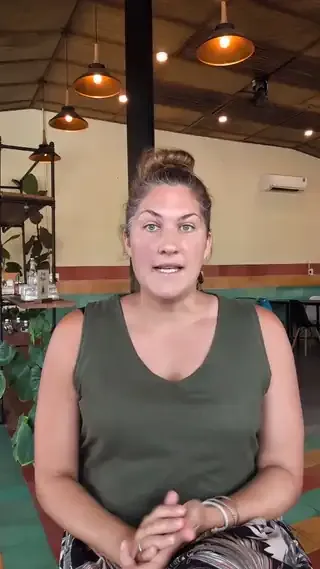
Why it works: It's the most authentic format. The slightly shaky camera, the background noise, the natural pauses - these all signal "this person isn't being paid or coached." Self-recorded testimonials also scale in a way that produced videos don't. You can collect dozens at a time instead of flying a crew to each customer.
Informal, self-recorded testimonials consistently score higher on trust than polished studio productions. The shaky camera and natural lighting actually work in your favour - they signal that nobody is being coached or paid.
How to replicate it:
- Send a link with clear prompts (one question at a time, not a list)
- Let them record on their own schedule
- Give them permission to be imperfect: "Don't worry about ums - natural is better"
- This is the format that tools like Clipform are built for - async, browser-based, no downloads
What the best examples have in common
Across all seven types, the testimonials that actually convert share a few things:
- Specificity. "It saved us 12 hours a week" beats "it's really helpful." Numbers, timelines, and concrete outcomes are what stick.
- Real settings. Offices, kitchens, home desks. Not studios. The setting signals authenticity.
- One clear message. Each video makes one point well instead of trying to cover everything.
- The customer leads. The brand stays out of the way. The product is mentioned, not pitched.
- Short enough to finish. The sweet spot is 60-90 seconds for most formats. Case studies and interviews can go longer, but only if the story earns it.
Start collecting your own
The hardest part of video testimonials isn't the filming - it's getting people to actually record. The trick is removing friction: no scheduling, no app downloads, no pressure.
We wrote a full guide on how to collect video testimonials from your customers that covers the exact process - when to ask, what prompts to use, and how to get response rates above 40%.
The format matters less than the ask. Pick one type from this list, send five customers a link, and see what comes back. You'll have usable footage within a week.